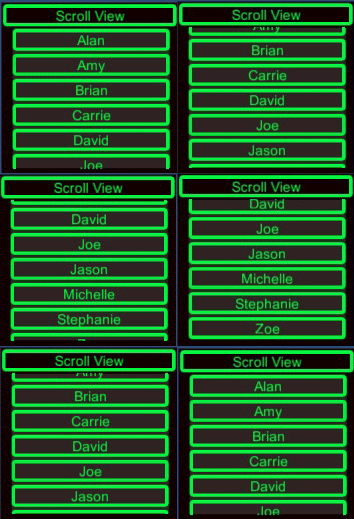
 When building a UI, it's sometimes helpful to be able to dynamically create buttons depending on a number of objects. Unity's UI is easy to work with, but can be tricky to use if you're trying to build it dynamically. In this tutorial, we'll create buttons for a list of names and add them to a scrollable window so that we can accommodate any number of buttons.
Friday, July 31, 2015
Unity UI - Dynamic Buttons and Scroll View
When building a UI, it's sometimes helpful to be able to dynamically create buttons depending on a number of objects. Unity's UI is easy to work with, but can be tricky to use if you're trying to build it dynamically. In this tutorial, we'll create buttons for a list of names and add them to a scrollable window so that we can accommodate any number of buttons.

Wednesday, February 4, 2015
Using Unity's Event Message System (Unity 4.6)

Unity recently updated it's messaging system...
It used to be as easy as:
target.SendMessage(string methodName);
Now it looks like this:
ExecuteEvents.Execute(GameObject target, BaseEventData eventData, EventFunction functor);
Lets look at how to utilize the new approach...
Saturday, December 20, 2014
Main Menu Tutorial with the new UI System (Unity 4.6)

We'll create something like this using only Unity Free Assets
Unity recently released it's long-awaited and much improved UI system in version 4.6. Prior to this, Unity's ability to create GUI's was lackluster, many developers turned to Asset Store extensions like NGUI to give themselves a fighting chance. With the arrival of the new UI system, have our troubles finally been put to rest? Well let's take a look...
Sunday, December 14, 2014
How to make a game like Fez in Unity: Part 3

In the final part of this tutorial series, we'll finish building our Fez-like game. Now that we have the basic level and character out of the way, we'll need to add code to handle the 3D rotation.
Friday, December 12, 2014
How to make a game like Fez in Unity: Part 2

In the next step of our Fez game tutorial, we’ll begin by
setting up our sprite based character.
Thursday, December 11, 2014
How to separate and tag your posts in Blogger

If you’re setting up a blog using Blogger, one of the first
things you’ll want to do is provide your readers with a way to more easily
navigate your blog. By default, Blogger’s home page will display the most recent posts
you’ve made, depending on your content it can be useful to categorize your
entries so they will be easier to find later. Using Blogger’s built in Labels
makes it easy to build a navigation bar that will filter content based on
whatever tags you want to use. This tutorial will help you set up Labels for your posts.
Monday, December 8, 2014
How to make a game like Fez in Unity: Part 1
I ran across a technical presentation by Renaud Bédard
, the programmer who worked on the hit indie, Fez! In this presentation titled,
“Cubes All The Way Down”, Renaud discusses the strategy he used in creating the
game engine and level editor used in Fez. The more I watched, the more interested I was in trying to
replicate the entertaining 3D rotating mechanic.
Subscribe to:
Posts (Atom)